SaSuKe
SaSuKe gm


Joined: 14 Aug 2007
Posts: 31
|
 Posted: 26/08/2007 16:43 Post subject: Reflective Liquid Type Posted: 26/08/2007 16:43 Post subject: Reflective Liquid Type |
 |
|
Pasul 1
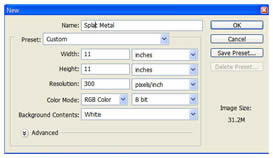
Creaza un nou document cu aceste atribute:
* Width: 11 inches
* Height: 11 inches
* Resolution: 300 ppi, 8 or 16 bit
* Background Color: White
Pasul 2
Selecteaza Type Tool si deschide paleta Character de la bara de optiuni.Fontul pe care lam ales se numeste ‘WallowHmkBold’…daca nu il ai instalat pe sistemul tau foloseste un font la alegere.Atributele literei sunt prezentate mai jos 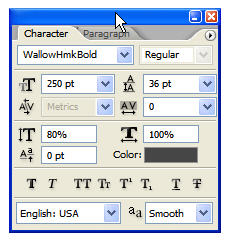
Pasul 3
Nota:acea culoare este gri (#666666)si nu negru curat
Scrie un cuvant de-a lungul documentului 
Pasul 4
Click dreapta pe layerul cu text si selecteaza Rasterize Type
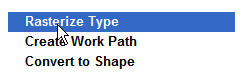
iar apoi deseneaza cateva puncte ngre in jurul textului 
Pasul 5
Deschide paleta Channels si fa o copie la Blue channel.Dute la Image>Adjustments>Invert. 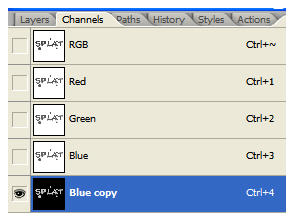
Pasul 6
Dute la Filter>Blur>Gaussian Blur si pune radius la 25 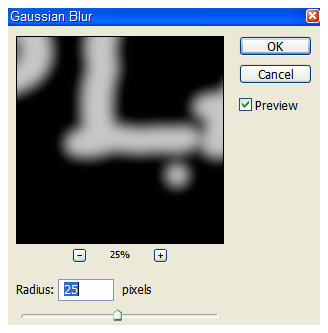
Mai dute odata dar pune radius la 15 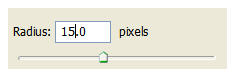
Pasul 7
Opreste Blue copy channel dar nu-l sterge o sa trebuiasca mai tarziu 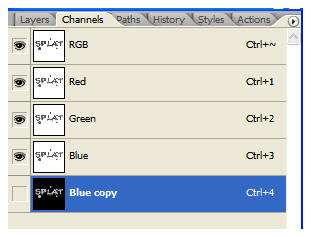
Pasul 8
Dute la Filter>Render>Lighting Effects si fa ca in imagine 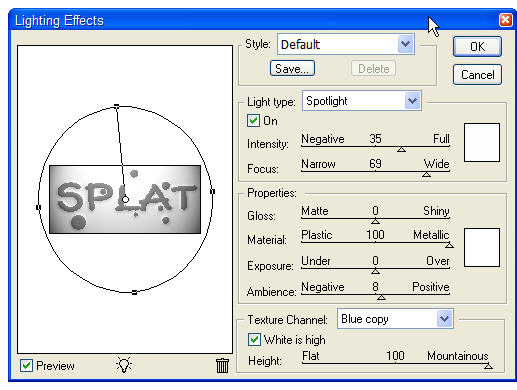
Pasul 9
Asa ar necesită sa fie rezultatul pana acum daca ati urmat bn toti pasii 
Pasul 10
Dubleaza layerul cu text si dute la Filter>Sketch>Chrome si fa ca in imagine 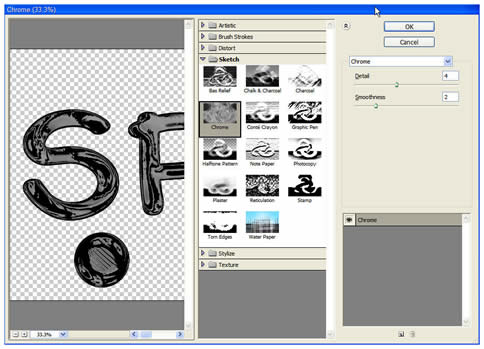
Pasul 11
Deschide layer styles si selecteaza Bevel/Emboss.Fa ca in imaginea de mai jos 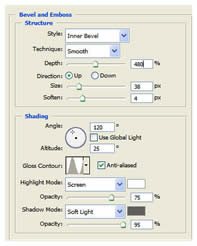
Nota:culoare umbrei este din nou gri (#666666)si nu negru.Cand ai terminat apasa OK 
Pasul 12
Apasa ctrl+click pe layerul cu text pentru a genera o selectie apoi dute la Curves si apoi la Levels si fa setarile ca in imagini 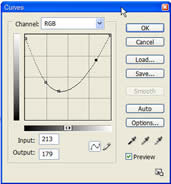
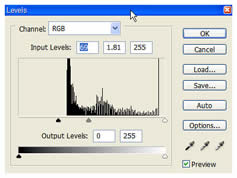
Pasul 13
Fa un background închis la culoare ca in imagine 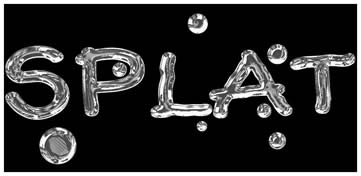
Pasul 14
Opreste layerul cu background si uneste celelalte layere
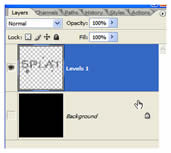
Pasul 15
Pentru a crește valoarea de lichid a leyerului dute la Filter>Liquify>Bloat si fa ca in poză 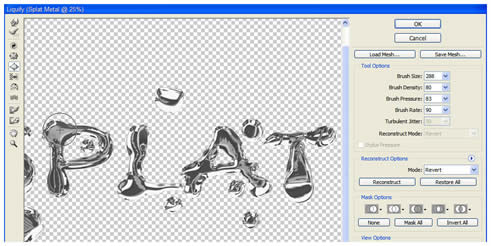
Pasul 16
Mai adauga cateva rezultate la background si cam asta ar trebui sa fie rezultatu 
_________________


 |
|